


Video Meeting
4.1334.00 Reviews
App Specs
- Version
- 10.0
- Updated On
- License
- Free
- Downloads
- 1,000,000+
- Developer
- Newry Global
- Categories
- Communication
- Platform
- Android
Screenshots



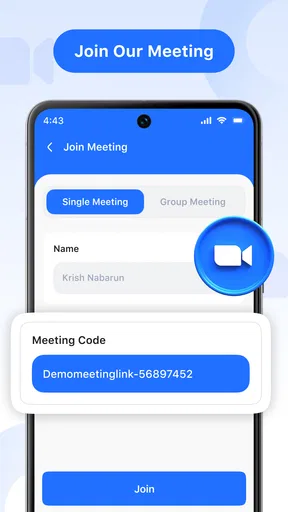
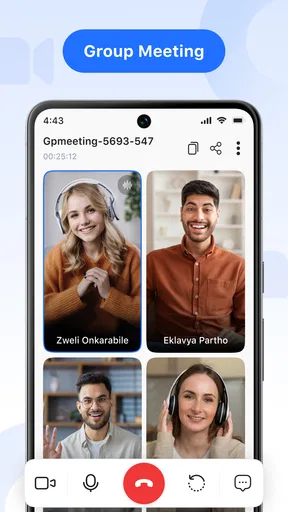


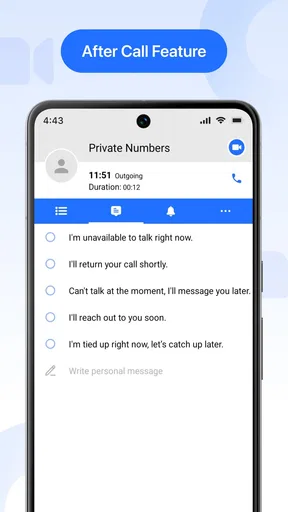
 Analysis by AppCompare
I tend to judge a video-calling app by a practical question: can I get a conversation going without making everyone learn a complicated new routine? Video Meeting is aimed at that straightforward need. It is a communication app from all contacts app, and its focus is video calls rather than a broad suite of social or work tools. That narrow purpose can be appealing when I simply want to speak face to face with someone who is far away.
What free access means in practice
The app is free to download, so trying it does not require an upfront purchase. That is a useful starting point for a casual user, a family member who rarely makes video calls, or a small group deciding whether they want another way to meet. Free access is a concrete benefit; it does not, by itself, tell me what every possible feature or future use might cost, so I would check the current app details before relying on it for a long-term plan.
Its audience is broad: the age rating is Everyone, and the app has passed the million-install mark. The average rating is 4.2 from around 3.7 thousand ratings, with 302 written reviews. Those figures suggest that plenty of people have tried it, but they cannot tell me whether it will suit my particular phone, network, or meeting habits. I treat ratings as context, not as a substitute for testing a call myself.
Where Video Meeting fits into everyday calling
I’d start by looking at where Video Meeting fits into the calls you already make, rather than expecting it to replace every communication tool. Its focused purpose may suit a planned catch-up, but the real test is whether the people you want to reach find it convenient too. From there, I’d weigh the free access against the practical tradeoffs of adding another app.
A focused choice, not a full collaboration suite
The name Video Meeting makes its purpose clear: it is for video conversations. If I want to check in with relatives, talk through a shared task, or arrange a simple remote catch-up, an app centered on meetings may feel more direct than a platform built around messaging, workspaces, or social feeds. That simplicity is useful only if the people I want to call can also access and use it comfortably.
Compared with familiar alternatives such as built-in phone video calling or larger meeting platforms, the main decision is not which one has the longest feature list. It is which one fits the people and situation. A built-in calling option can be easier when everyone already uses the same device ecosystem. A workplace platform may be a better fit when a team needs its established calendars, documents, or administrative controls. I would consider this app when a separate, straightforward video-meeting option is more convenient than either of those routines.
Small habits that make calls easier
For a family call, I would test the setup with one relative before making it the default for a larger gathering. That quick trial gives both people a chance to find the controls and check that the conversation works on their devices, without turning a special occasion into a troubleshooting session. It also reveals whether the app feels comfortable to the least tech-confident person in the group, which matters more than a polished feature list.
Worth Reading Before You Choose

EA SPORTS FC Mobile 26 Is a Bigger Football Game, but It Takes Time

Flipboard Shows What News Apps Must Do Beyond the Feed

Switching to Android Auto Means Rethinking Your Driving Routine

Google Calendar Makes a Crowded Week Easier to Manage

Ludo King Makes the Most of the Minutes Between Plans

Baby Panda World Brings Quick Play to Modern Phones, but Its Game Library Feels Busy
For a recurring catch-up, I would settle on one simple invitation routine and share it in the same place each time. Keeping the instructions short helps avoid the familiar problem of one person searching through old messages while everyone else waits. For an important call, I would also agree on a backup way to reconnect—such as a regular phone call—before starting. That is not a special app function; it is a sensible precaution with any video service.
What to weigh before relying on it
The most useful question is whether the app behaves well on the actual devices and connections involved. Video calls depend on more than an app: a weak signal, a busy network, an older phone, or a noisy room can all make a conversation less comfortable. I would not assume that a smooth experience in one short test guarantees the same result in every location. If a meeting is essential, I would try the setup beforehand and keep a fallback plan.
It is also worth thinking about group size and expectations. A gathering with several people needs more coordination than a one-to-one call, even when the app itself is easy to open. Before choosing any meeting app for a group, I would make sure everyone knows how to join and has enough time to sort out their device. If a team depends on formal meeting controls or a tightly managed workflow, I would compare the app with the tools that team already uses rather than switching everyone on the strength of a simple download.
Who is likely to get the most from it?
I see the strongest fit for people who want a free way to try a dedicated video-meeting app and do not need their calls to be part of a larger work system. It may suit friends or relatives who value face-to-face conversation across distance, as well as users who want a separate option for a planned remote discussion. The app is less compelling if a person’s existing calling tool already works well for everyone they contact; installing another app is not automatically an improvement.
I would also pause if the people I need to reach are reluctant to install or learn something new. In that case, the best app is often the one the group already knows how to use. Likewise, anyone choosing a service for sensitive or business-critical conversations should make a careful, current check of its privacy and organizational suitability instead of assuming that a general communication app meets every formal requirement.
My verdict before you download
Video Meeting is free to try and has a clear, focused purpose, which gives it a reasonable place among communication apps. The developer is all contacts app, and the current version is 7.0; it requires Android 6.0 or later. It was released on July 1, 2025. Those basics help establish whether it is relevant to a device, but the best test remains a real call with the people who will use it.
I would give it a try if I wanted a separate video-meeting option and the people I call were willing to use it too. I would skip it if my existing service already makes joining effortless, or if I needed a clearly established work platform with organization-specific tools. The sensible approach is to start with a low-stakes call, judge the experience on your own connection, and decide from there whether it earns a regular place on your phone.
Hey there! You know how sometimes you just need a reliable app to connect with your friends, family, or coworkers from wherever you are? Well, I recently stumbled upon Video Meeting, and I've got to say, it's quite a gem. Let's dive into what makes this app a must-have for your digital communication toolkit.
Getting Started with Ease
First things first, downloading and setting up Video Meeting is a breeze. Whether you're on Android or iOS, the app is available for free, and the installation process is as smooth as butter. Once installed, you're greeted with a user-friendly interface that's intuitive and straightforward, making it easy for everyone, from tech newbies to seasoned pros, to navigate.
Features that Stand Out
One of the standout features of Video Meeting is its high-quality video and audio. Honestly, the clarity is impressive, and you won't find yourself squinting at blurry screens or struggling to hear what the other person is saying. This app ensures that your video calls are as close to in-person as possible.
Moreover, the app supports group calls, which is perfect for team meetings or virtual hangouts with friends. You can invite up to 50 participants without any hiccups. Plus, it has a neat screen-sharing function, which is super handy for presentations or collaborative projects.
A Secure Communication Platform
In today's digital age, security is a big deal, right? Video Meeting takes this seriously with end-to-end encryption, ensuring that your conversations remain private and secure. It's reassuring to know that your data isn’t floating around in the digital ether.
Additionally, the app allows for password-protected meetings, adding an extra layer of security. You can rest easy knowing that unwanted guests won’t be crashing your calls.
Additional Perks and Customization
Now, let's talk about customization. Video Meeting offers a range of fun virtual backgrounds to spice up your video calls. Whether you want to appear as if you're on a beach or in a fancy office, there's an option for every mood or occasion.
Another cool feature is the chat function. Sometimes, you need to share links or quick messages without interrupting the flow of the meeting. The chat feature is seamlessly integrated and easy to use.
Performance and Reliability
Performance-wise, Video Meeting is rock solid. Even with a less-than-stellar internet connection, the app manages to maintain a stable call without significant lag or dropouts. That's a huge plus for anyone who’s constantly on the go or dealing with spotty Wi-Fi.
What I also appreciate is the app's low battery consumption. Video calls can be a drain on your device, but Video Meeting is optimized to ensure your phone doesn't die halfway through an important conversation.
Wrapping It Up
All in all, Video Meeting is a fantastic app for anyone looking to make their virtual communications seamless and enjoyable. From its ease of use to its robust features and security measures, it ticks all the right boxes. Whether you're catching up with friends or conducting business meetings, this app proves to be a reliable companion.
So, if you're in the market for a dependable video call app, give it a try. It's available for download on both Android and iOS, and I’m pretty sure you’ll love it as much as I do. Happy chatting!
Pros
- User-friendly interface with intuitive controls.
- High-quality video and audio streaming.
- Seamless integration with calendar apps.
- Supports large group meetings with ease.
- Cross-platform compatibility for Android and iOS.
Cons
- Occasional connection drops in high traffic.
- Limited free version features.
- Requires strong internet for optimal use.
- Some features hidden under paywall.
- Complex setup for first-time users.
FAQs for Video Meeting
What features does the Video Meeting app offer?
The Video Meeting app provides a wide range of features including HD video and audio calls, screen sharing, chat functions, and virtual backgrounds. It also supports large group meetings, offers recording options, and integrates with calendar apps for scheduling. Its user-friendly interface ensures seamless navigation for all users.
Is the Video Meeting app secure for business meetings?
Yes, the Video Meeting app prioritizes security with end-to-end encryption for calls and meetings. It also offers password protection for meetings, waiting room features to control participant entry, and compliance with industry-standard security protocols to ensure that your data and conversations remain private and secure.
How many participants can join a meeting at once?
The app supports a large number of participants, with up to 100 people in a single meeting for the free version. For businesses or larger gatherings, premium versions allow more participants and offer additional administrative controls. This flexibility makes it suitable for both small teams and large conferences.
Does the Video Meeting app require a subscription?
The Video Meeting app offers a free version with essential features suitable for casual and small-scale meetings. However, for enhanced features such as extended meeting durations, larger participant capacity, and additional security measures, there are various subscription plans available. These plans cater to different needs and budgets.
Can I use the Video Meeting app on multiple devices?
Absolutely, the Video Meeting app is compatible with multiple platforms including iOS, Android, Windows, and macOS. Users can switch between devices without losing their place in a meeting, ensuring flexibility whether you’re at your desk or on the go. This cross-platform functionality is a major convenience for users.


